iOS apps / Inklight
Inklight, for iPhone, iPad and Apple Watch
Your own books, read aloud.
Inklight reads your own books aloud, and its narrators are the best-sounding voices a phone can make on its own today. It is an app for the iPhone and the iPad, with the Apple Watch serving as a remote. There are eight narrators, and every voice is generated by an AI model on the iPhone or iPad itself. After a single download it reads offline, and it reads in private. There are no ads in it, and there never will be. Inklight is not yet to be had on the App Store.
Coming to the App StoreHear the narrators
Press upon a name, and the narrator reads you its own profile, as it is printed with its portrait below. The voices are generated by AI.
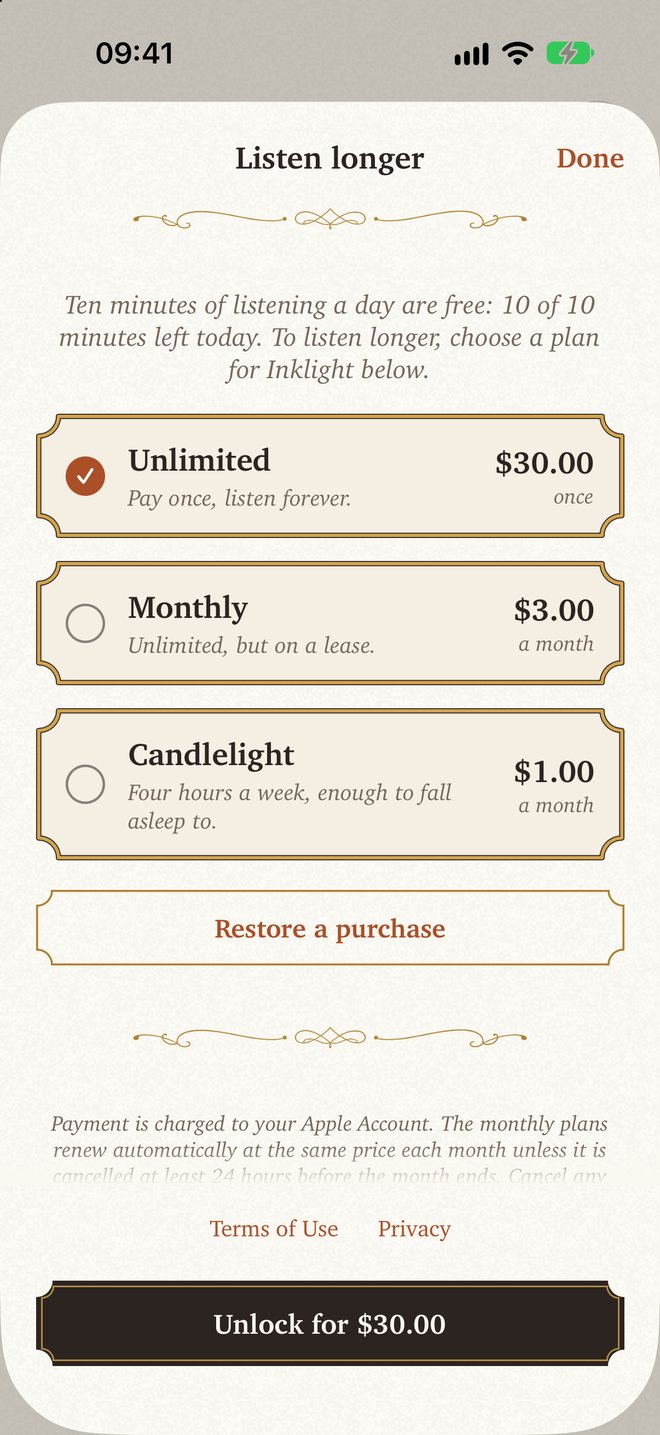
Listening free, 10 minutes a day. Candlelight, four hours a week, $1 a month. Monthly, unlimited listening, $3 a month; or Unlimited, by one payment once for all, $30. Prices in US dollars; the local price will be shown you in the App Store.
What it reads
Reads the books you already have
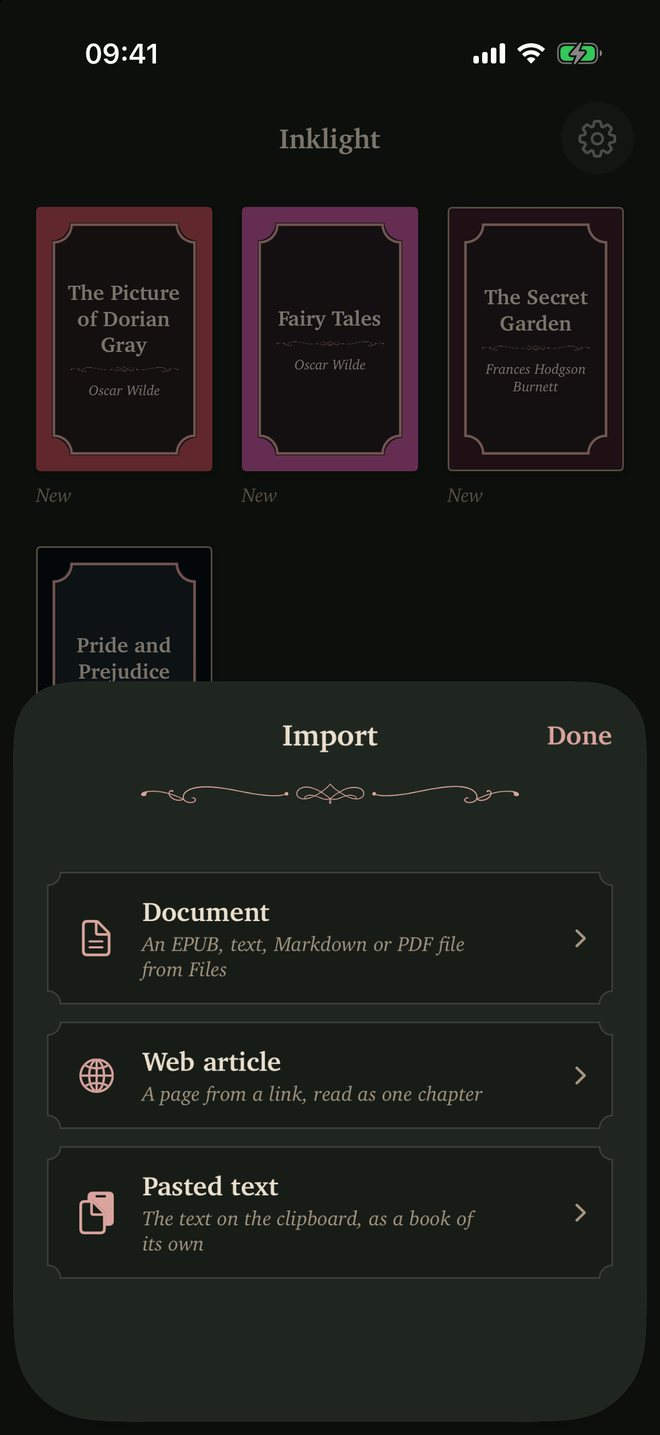
Inklight reads the books you already have. It opens EPUB without DRM, PDF with real text, plain text and Markdown; it will also read a web article from a link, or whatever text is on the clipboard. A book comes in from the Files app, or may be sent to Inklight from the Share sheet of another app. A web article is fetched by the iPhone itself and cleared of its menus, sidebars and comments, as in a reader view. Pasted text becomes a book of its own.
What would sound like gibberish, such as footnote marks and stray page numbers, is not read aloud. A line set in capitals is read as ordinary words, and the reading stops before the back matter, such as the colophon and the page about the author. A copy-protected EPUB is refused with a plain message, so purchases from Kindle and Apple Books cannot be read. A scanned PDF with no text is refused as well.
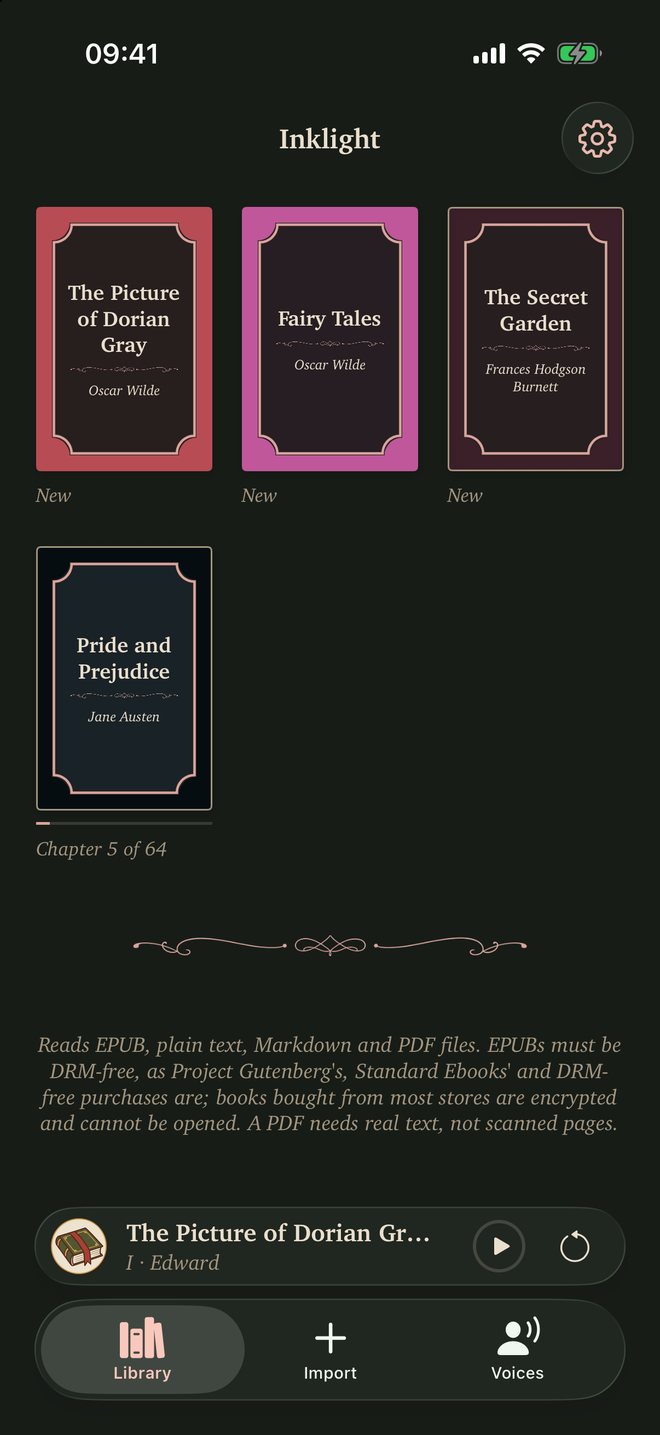
Three classics stand on the shelf from the first launch: The Picture of Dorian Gray, Oscar Wilde's Fairy Tales, and Frances Hodgson Burnett's The Secret Garden. The library is a shelf of covers, each drawn in a color of its own from the book's title and author.
Who reads it
The best voices a phone can make on its own today
From the first, the quality of the voice has come before everything else in Inklight. Its narrators were chosen one at a time, by ear, from dozens of voices, as the best that a model running on the phone itself can give today. You are offered a small company of them, not a large catalog. The best cloud voices can sound as good, but they need a connection. Inklight's narrators are made on your iPhone or iPad, offline.
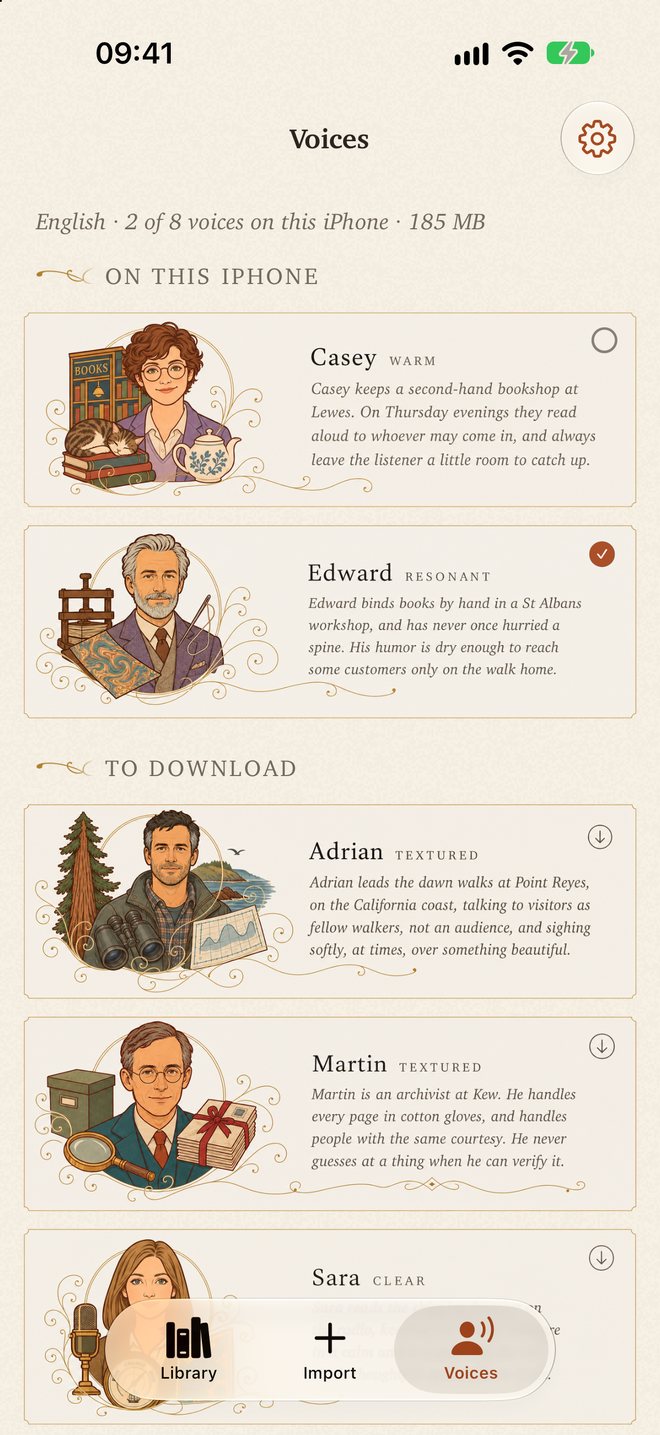
There are eight: Edward, Martin, Casey, Sara, Helen, Emma, Adrian and Simon, every one a native English speaker. Tap a narrator to hear its sample, in which it reads its own short profile; if it is already on your iPhone, the same tap makes it your reader. A narrator not yet on the iPhone is downloaded with a tap on its button, at about 24 MB for each further one. A swipe to the right removes a narrator from the iPhone.
The chosen narrator reads every book. The player names it under the title, as "read by Edward", and a tap on that line opens the narrators, should you wish to choose another. Within a paragraph the sentences follow without a gap; after each paragraph the narrator pauses for a little over half a second, and at the end of a chapter for three seconds. Each narrator has its own flourish, and every ornament in the app changes with the narrator you choose.
Offline after one download
Choose your reader by ear, then read offline
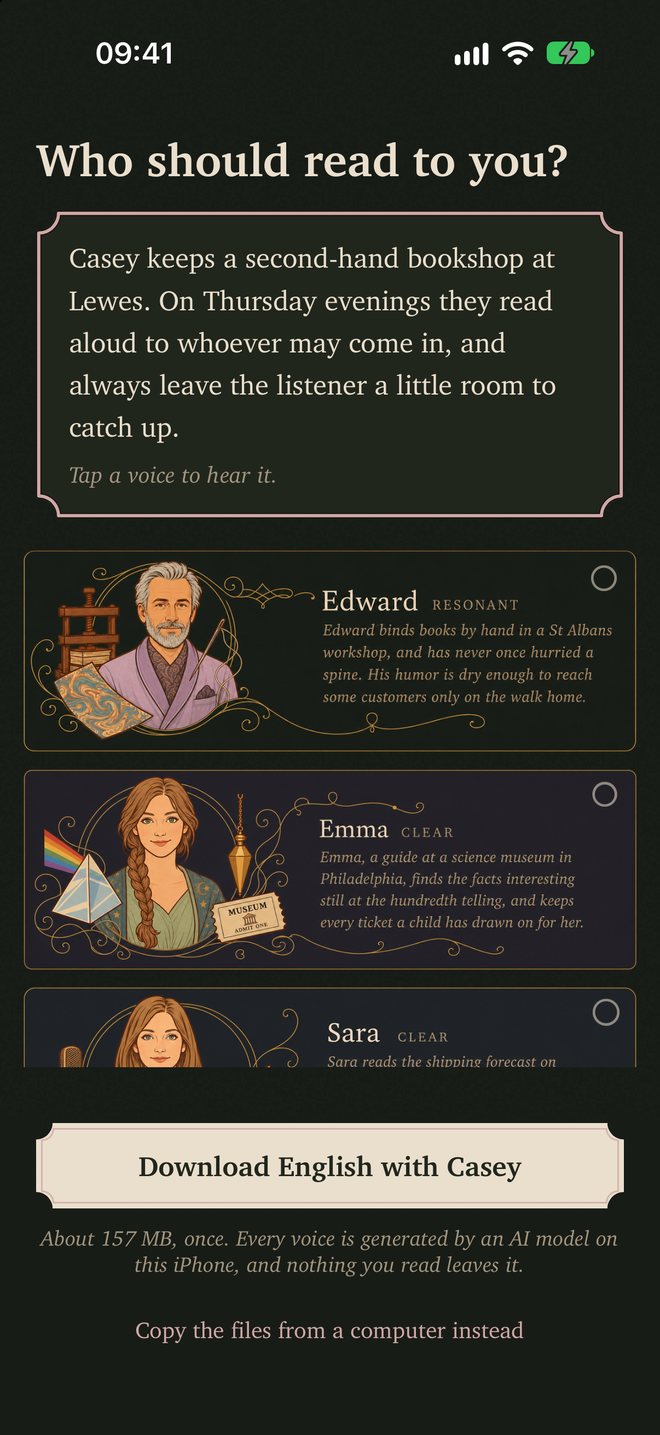
On its first start, Inklight asks who should read to you. You choose by ear among its eight narrators, every one of whom may be heard before anything is downloaded; they stand in a new order at each launch, and Casey is chosen to start with. A single button downloads the voice model and your narrator together, about 160 MB. The download is made once. If you prefer, the model may be copied from a computer, with no download at all.
After that, Inklight reads entirely offline. Nothing you read or hear leaves the iPhone or iPad, and there is no account to make.
What it costs
Ten minutes a day free, and plans for longer listening
Ten minutes of listening a day are free, with every narrator you have, and they come back at midnight. These minutes are the trial; there is no other.
Candlelight gives four hours of listening a week for $1 a month. Monthly gives unlimited listening for $3 a month. Both renew each month until you cancel them in your Apple Account's Subscriptions, which a button in Inklight's Settings will open for you. When you move up from Candlelight to Monthly, Apple credits what is left of the Candlelight month.
Unlimited gives unlimited listening for one payment of $30, and is not a subscription. If you buy it while a monthly plan still renews, Inklight walks you to canceling that plan.
The plans come up by themselves when the free minutes run out. If you stop paying, you keep your books, your places in them, your narrators and the ten free minutes a day. Unlimited is yours for good, and comes back on a new iPhone or iPad with the same Apple Account through Restore purchases. A plan once bought keeps working in airplane mode.
Listening
Reads on in the background, with the screen locked
Inklight goes on reading in the background, and with the screen locked. The lock screen and Control Center show the chapter, the book and the author. From either of these, or from the buttons on your headphones, you skip by the sentence. When the headphones come out, the reading pauses; when they go in, it carries on from the very sound you last heard. The scrubber counts in sentences, never in guessed minutes. The sleep timer, under the moon between Speed and Chapters, stops the reading after 5, 15, 30, 45 or 60 minutes, or at the end of the chapter. While a book is open, a mini player sits above the tabs. Every book remembers its place to the sentence. Pause stops mid-word, and the play button taps back like a mechanical key.
Your own pace
A slowed narrator truly reads more slowly
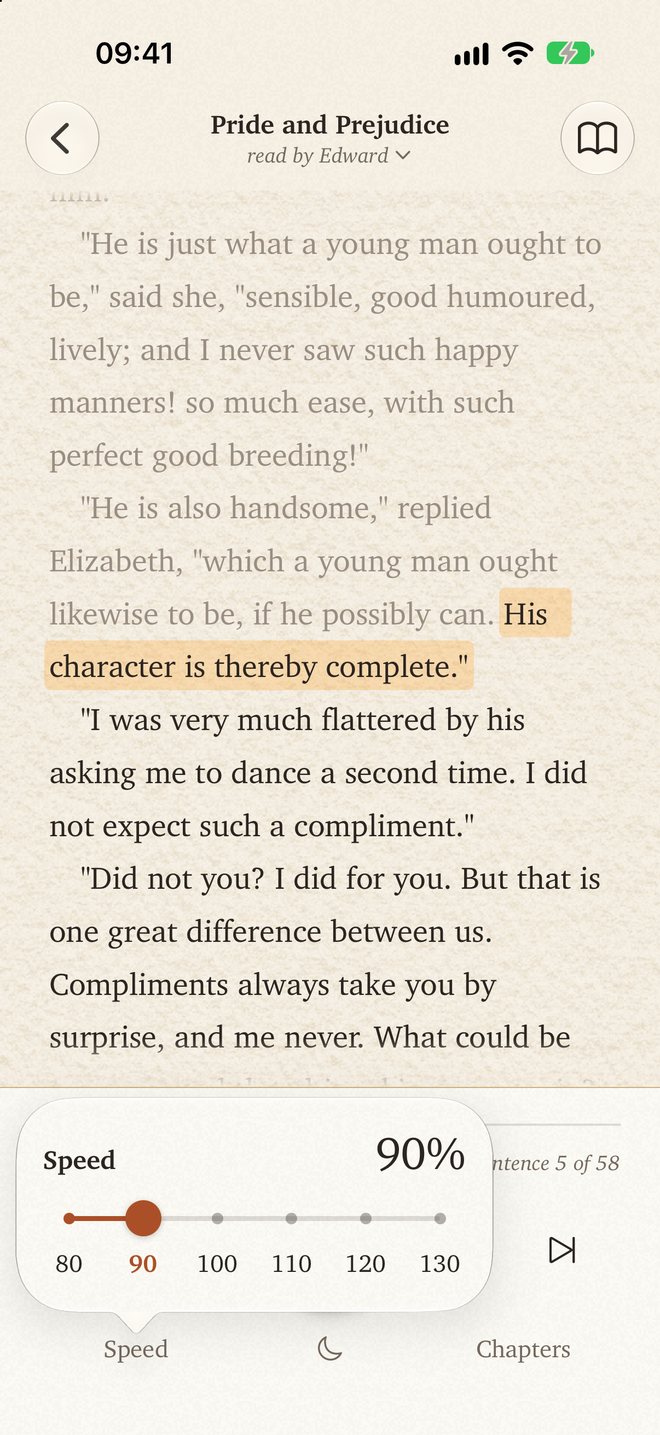
Speed is set in six marked stops, from 80 to 130 %. A narrator slowed in Inklight does in fact read more slowly, and at 80 and 90 % makes the pauses of a slow reader. The audio you hear is never stretched. The top speed follows what your iPhone can keep up with, and any stop it cannot sustain is struck through. Each stop clicks under the finger.
| 100 % | 80 % | |
|---|---|---|
| Edward | Edward at 100 % | Edward at 80 % |
| Casey | Casey at 100 % | Casey at 80 % |
Each narrator reads the opening of Pride and Prejudice at its own pace, and again slowed to 80 %.
Reading along
The printed page, following the voice
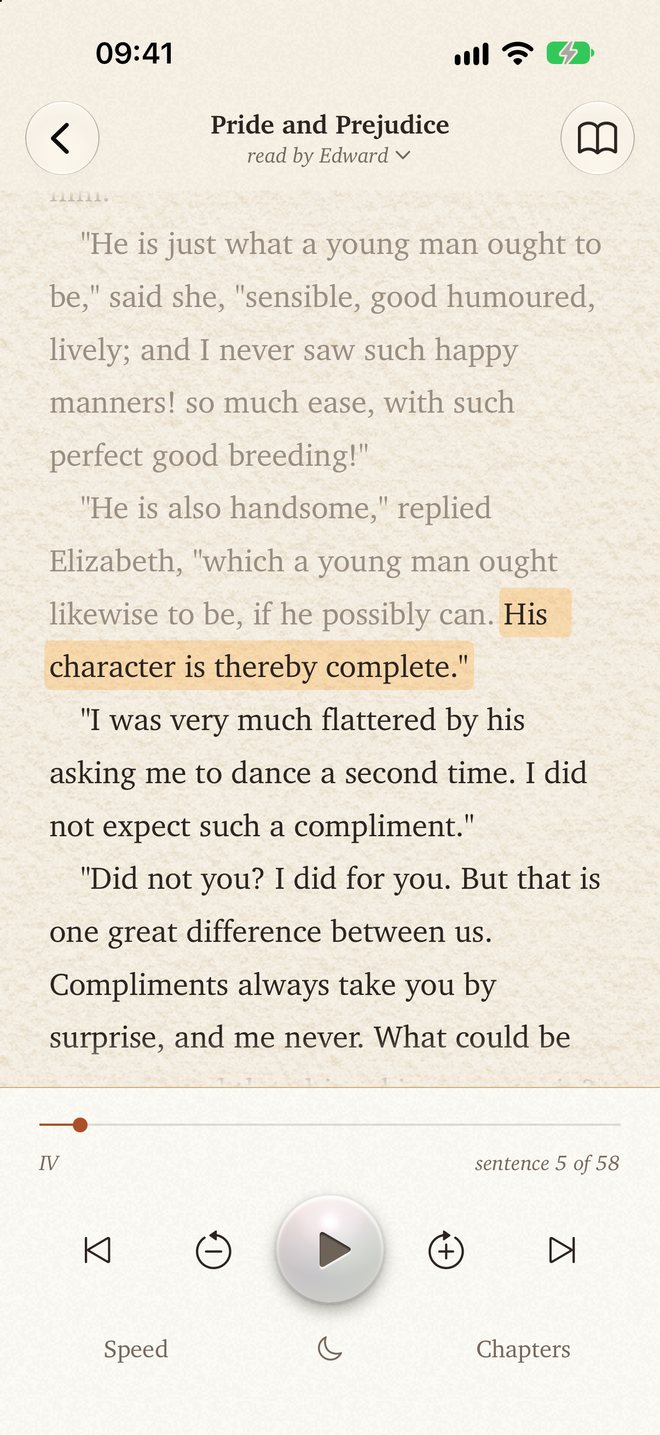
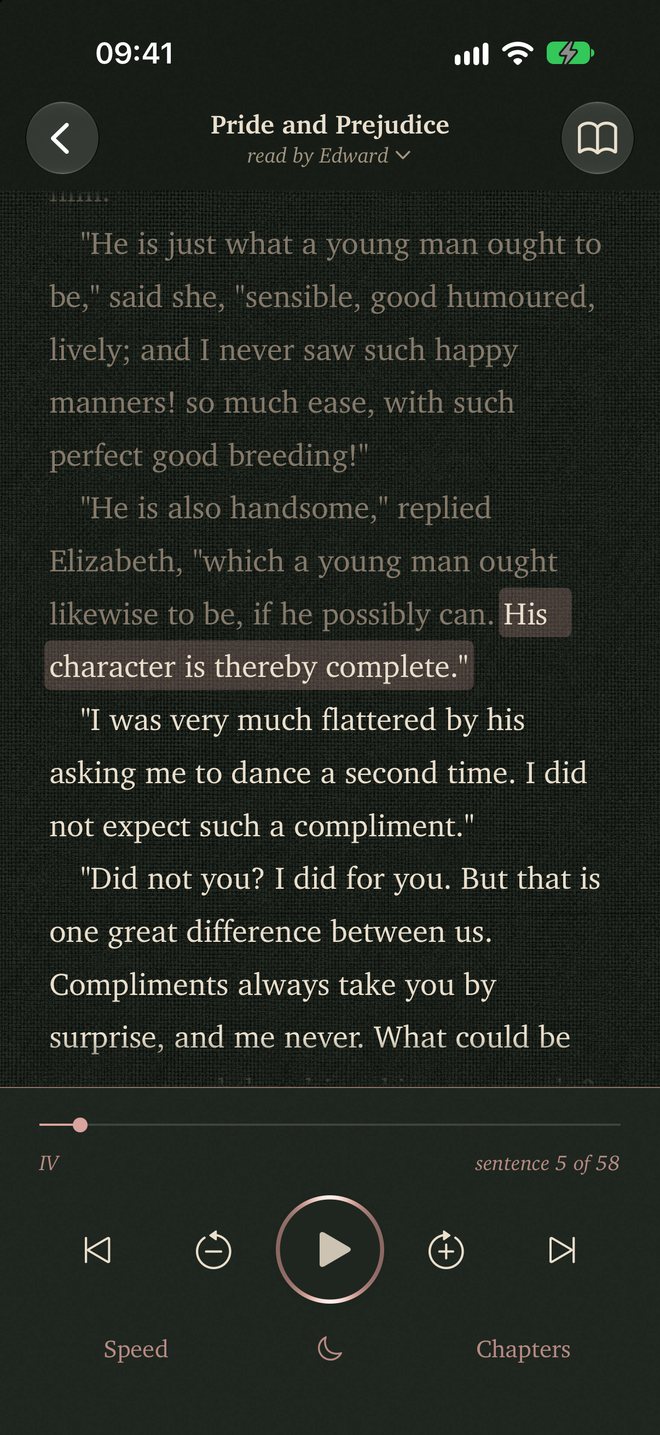
The book stands on the screen while it is read, set like a printed page, and the sentence being spoken is marked by a band within its paragraph. The page follows the voice. Should you scroll away, a "Return to highlight" button brings you back. Tap any sentence and the reading moves there; a tap in Chapters takes you to any chapter.
Reading mode hides the controls and the highlight and pauses the voice. When you play again, the narrator goes on from the line in the middle of the screen.
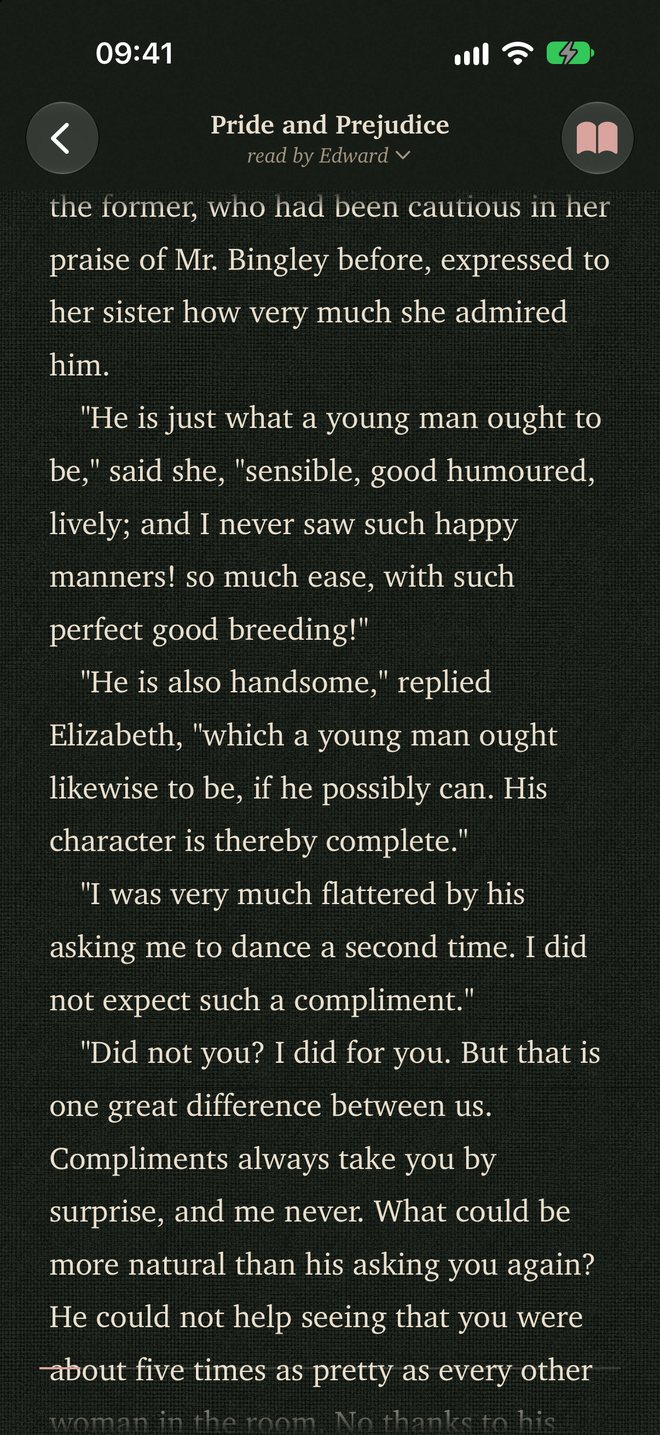
By day the page is warm watercolor paper with a real grain. By night it is the narrator's own paper, each one a material from that narrator's working life. Day and night follow the Light and Dark setting of your iPhone. The app is ornamented throughout in the Art Nouveau manner.
Where it runs
For the iPhone, the iPad and the iPhone Duo
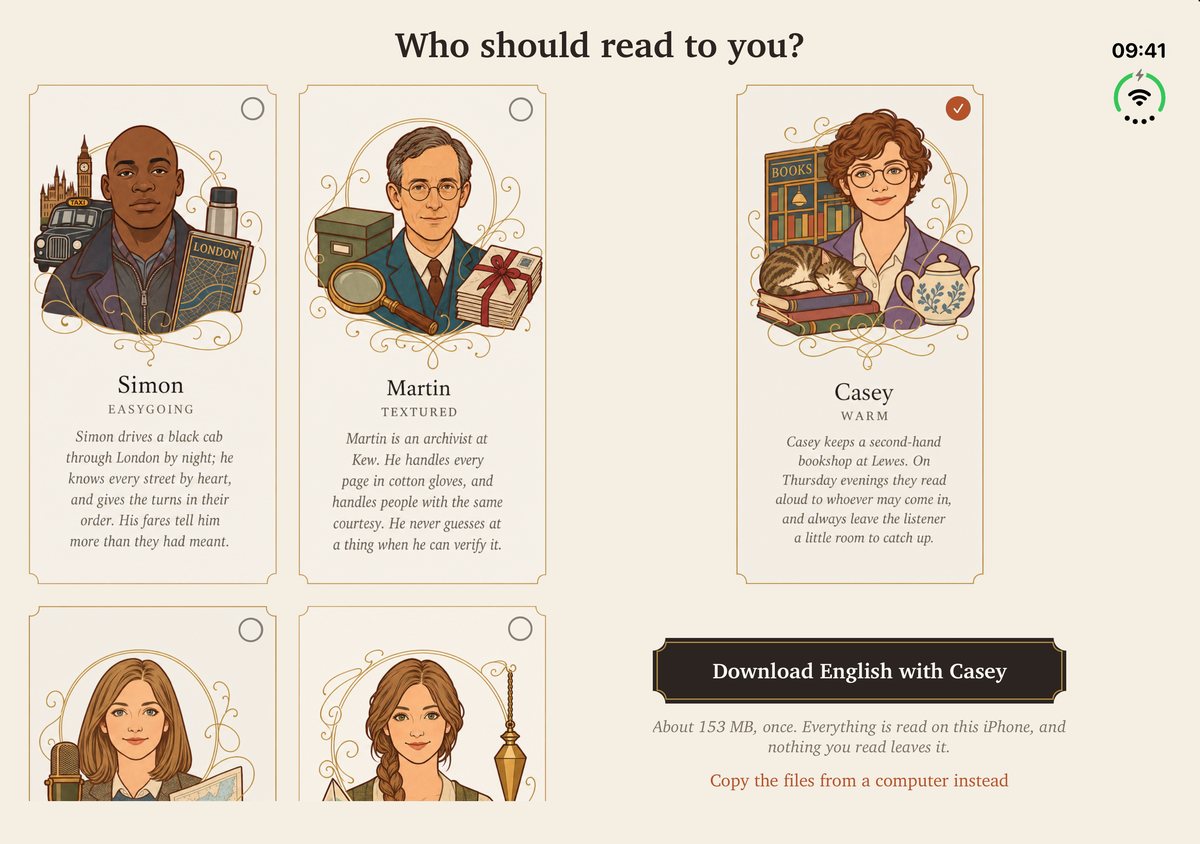
Inklight runs on every iPhone since the XS, with iOS 18.0 or later. It runs on the iPad as an iPad app, with iPadOS 18.0 or later, and turns to every orientation. There the narrators stand as upright cards, the library shelf takes as many covers as will fit, and the reading text keeps the line length of a book.
It runs also on the iPhone Duo with iOS 27.1, and on both of its screens. You may move from one screen to the other in the middle of your reading, and it carries on without a break. The first start on the inner screen, held on its side, is a two-page spread: the title stands centered across the fold, over both pages, and on the right stands the card of the narrator you have chosen, as a frontispiece.
On the wrist
A remote for the Apple Watch
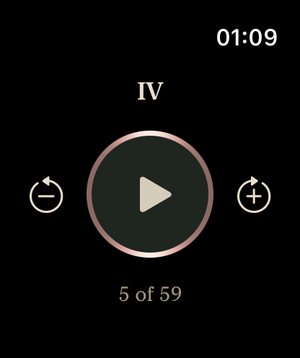
An Apple Watch remote is supplied with the app; it requires watchOS 10.0 or later. The watch never plays the audio itself. A tap on the middle disc plays or pauses, a tap on either side skips one sentence back or forward, and a long press on either side goes to the previous or next chapter. Your place in the chapter is shown on the face, as "36 of 219". The watch will start the reading even when Inklight is not on the iPhone's screen. The remote wears the night style of the phone's player, its play disc takes the colors of the reading narrator, its ring is rose gold while the iPhone is dark and pearl while it is light, and the light on the ring follows the tilt of your wrist.
Eight narrators, chosen by ear
Eight narrators are supplied: Edward, Martin, Casey, Sara, Helen, Emma, Adrian and Simon, each with a portrait made with AI image models. They were chosen by ear, for the best voice a phone can give on its own today, and are grouped by the sound of the voice as Resonant, Textured, Warm, Clear and Easygoing. Every one is a native speaker of English, so none reads with a foreign accent. At the foot of the Voices tab, Acknowledgements has a button that has the narrator read the credits aloud to you. Hearing them does not count against any listening limit.


Inklight is made by one hand only
"I'm an AI engineer and I listen to a lot of audiobooks. I built Inklight for myself, because I wanted my own ebooks read by a voice I enjoy without sending them anywhere, and I use it every day. That also means it gets tested thoroughly: changes go onto my iPhone XS and my iPhone 16 Pro and are played with books from my own library before they ship."
The developer, who makes Inklight alone
In short
- What
- A read-aloud player for the iPhone and the iPad. Import a book, choose a narrator and listen, the text following along as it is read; an Apple Watch remote is included.
- Formats
- EPUB without DRM; PDF with a text layer; plain text; Markdown; pasted text; web articles, from a link.
- Narrators
- Eight English voices, chosen by ear as the best a phone can make offline today.
- Price
- Free for 10 minutes' listening a day. Candlelight, four hours of listening a week, $1 a month; unlimited listening, $3 a month, or $30 once.
- Devices
- iPhone XS and newer, with iOS 18.0 or later; iPad with iPadOS 18.0 or later; iPhone Duo with iOS 27.1, on both screens; Apple Watch with watchOS 10.0 or later, as a remote.
- Language
- English only, for the present.
- Offline
- A first download of about 160 MB, after which reading needs no connection.
- Privacy
- No account. No analytics, unless you choose to share an anonymous weekly summary.
- Accessibility
- Every control of the player has a spoken VoiceOver label, and the text follows the iPhone's text size, up to the largest accessibility sizes.
Who it is for, and who it is not
Inklight suits you if you own DRM-free ebooks, such as those of Project Gutenberg and Standard Ebooks, and wish to hear them as audiobooks. It suits you if you want web articles read aloud as well, and a voice that is pleasant for hours and not merely for a paragraph. It suits you if you would rather not have your books on someone else's server, if you listen without a connection, as on a plane or underground, or if your iPhone is an older one.
It is the wrong app for books bought from Kindle or Apple Books, and for books in any language but English. It is the wrong app, too, if you want the audio saved as a file, or a choice of dozens of voices.
Data and privacy
There is no account, no advertising and no tracking code. Inklight collects nothing unless you choose to share an anonymous weekly summary. The voices are made on the iPhone or iPad itself, and nothing you read or hear leaves the device.
The app goes online for four things only: to download the voice model and the narrators from Hugging Face; to fetch a web article you ask for, in which case only that site sees the request; to reach the App Store for the prices of the plans, for buying them and for restoring them; and, only if you choose it, to send the weekly summary. Otherwise it stays offline.
The free minutes are counted on the iPhone and sent nowhere, except as a rough total in the weekly summary if you turn it on. Your books and reading positions stay in Inklight's own folder on the phone, which you may see in the Files app. The clipboard is read only when you tap Pasted text.
In Settings there is a place to write a letter to the maker. It goes from your own mail app to report@volary.pro, and a note of the app's state may go with it. You see everything in the letter before it is sent, and the note never holds anything from your books.
The weekly summary is off unless you turn it on. What it carries is set out on the privacy page of the site.
Known limits
Inklight reads English only, for the present. It cannot read copy-protected books or scanned PDFs, and in a PDF set in two columns the columns come out mixed. The highlight marks the whole sentence, not the single word being spoken. The audio cannot be saved or shared as a file. Books and places do not yet sync between your devices, and the plans cannot be shared through Family Sharing. On an ordinary iPhone the app stays upright and will not turn sideways. On an older iPhone the fastest speeds may not be available to you.
Credits and licenses
The voice model is Pocket TTS, by Kyutai, licensed CC BY 4.0, and adapted by Inklight. Kyutai does not endorse Inklight.
The narrators' voices come from recordings of the CSTR VCTK Corpus of the University of Edinburgh, licensed CC BY 4.0, as cleaned by Kyutai; Inklight adapted them for its narrators and their slower readings.
Inklight runs Pocket TTS with pocket-tts-ios by UnaMentis, built on a port by babybirdprd, with changes by Inklight; both are MIT licensed.
The three classics on the shelf are Standard Ebooks editions, and Inklight itself is made in Sweden.